Software - new 2x2 sprite editor.
31 August 1997
Howdy!
Accept my life! We're done!!!
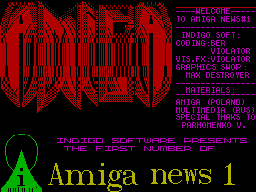
GRAY Jr welcomes readers on the 1st
pilot issue of AMIGA News! Hello!

   The group completely surrendered to my dis-
order this section, that in general
It was extremely careless on their part.
I warn you in advance that today you
waiting for a description of the sprite editor and
computer novel based on the game
destined to become the best in its genre.
Why - read below... About this -
a small announcement of that big project
the game itself.   In the meantime:


         - 2x2 Editor -

   For games of the strategic genre,
sprite measures 2 by 2 familiarity became
traditional: L.SQUAD, R.STAR,
Encyclopedia of War... Tools
there are a lot of sprites to create, but
I must admit, having those, I
I used ART STUDIO.  2x2 editor
should be a good alternative
other editors.
      The demo offered in this
number, controlled only using
QAOPM and has no hotkeys.
There is also no control
brightness and flicker.  In the future
128 KB mode is assumed,
using pages to work with
several sets of sprites.
   The set contains 128 sprites, located
those leaving from the address 49152 (#С000).
Black and white graphics occupies 4096
byte.  Attributes follow from the address
53248 (#D000) and occupy 512 bytes.
_____________________________________

      Editor functions._____________________________________

   OK - approve all entries
changes in sprite.  In progress
automatically when changing sprite.
   UNDO - undo all changes
until the last ok.
   CLEAR - clear the sprite.
   INVERT - invert the sprite.
   UP,LEFT - cyclic scrolling
of this sprite.
   FLIP - mirror image
sprite relative to the axis.
   COPY - the sprite you select
is replaced by the current one.
   SWAP - allows you to change
in some places the current and selected sprite.
   PUT&GET - to an additional buffer
sprite can be placed at any time
and retrieve it whenever you want. Especially
These functions will be useful when
working with multiple sets.
_____________________________________

      Color management.
_____________________________________

    In the full version the color can be
change with the keys X(INK), C(paper) and
B(bright) when the cursor is over
editable field.  In parallel
this implemented a change in INK and
PAPER when the cursor is over
actual sprite image.
By pressing FIRE, use the left, right,
up and down you can change colors,
with the last entered color
memorable.  Return - FIRE.
    2x2 - editor is easy to operate,
and is as simple to learn as 2x2=4.
     Create for your health!
Share your thoughts about the article