A few words about the shell - As you probably already guessed, the controls in the shell are elementary...
17 March 1997
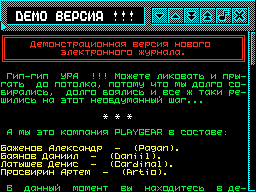
 1. A few words about the shell.

 As you probably already guessed, the management
elementary understanding in the shell - arrow
which can be moved around the screen
vishami  'Q','A','O','P','SPACE' or right
vySINCLAIR Joystick. In the magazine I, except
I'll try to implement that  KEMPSTON
Joystick and Kempston Mouse. What about
Joystick has no problems here, but with
there are some difficulties with the mouse. On my
SCORP doesn't have a mouse - hence the problems with
testing. If anyone can help then I will
I'll be glad. In addition, you need neglu-
frequent mouse test (because if there is no mouse, then
there will be a glitch).
 At the top right you can see five
"buttons", move the arrow to the desired one and
press FIRE. If the image on the icon
doesn't tell you anything, then you have to
apply the "SCIENTIFIC POKE" method!!!
 The journal will only contain 41 characters of text
in line plus output of screen files. Bye
I haven't implemented sprites in the text (and so far
I'm not going to!).  I think the speed
flipping and scrolling text you
will satisfy.  For a color printer this isreasonable limit, i.e. length ratio
machine code and operating speed are optimal!
 Naturally from the demomaker's point of view
this is slow, but I didn’t set myself a task
will fit into one interruption. In addition to
SCORP's will implement re- management
press "TURBO" (or, as people say,
"PIPE" mode).  If someone is not satisfied
satisfies the speed of operation or INTERFACE
shell then write to me (address at the end) and
we will start a discussion!
 On the right you can see (I don’t know how
called) a pointer that shows
How much text have you already scrolled through, and
how much is left? I think this is useful -
wow little thing!
 We seem to have sorted out the shell.
Share your thoughts about the article