|
KrNews #13
31 января 2001 |



|
Graphics - How to convert graphics from PC or Amiga at the Spectrum.
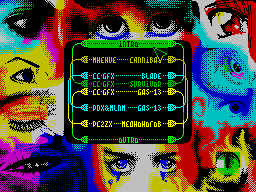
       How to convert graphics

       with the PC or Amiga at Spectrum


  (C) 2ooo Gas 1913


  Time indiscriminate conversion yet
not passed just to improve the quality of
converted this material is intended
article. Only I beg you, understand that
conversion, even at the highest
quality, not a place on your computer. They can
used anywhere, but not
on Comp.

  Stand the deepest appreciation for
material provision of Tiden'u
Delirium Tremens.


  (C) B. Mednonogov


  Black and white conversion.


  Looking at the quality, conversion charts
in most domestic programs
is a weak point. I think we should
a time to dwell on this
Problem:


  a) suitable for converting any
more or less decent graphics editor:

         Adobe Photo Shop,

         Photo Finish (from CorelDraw),

         Aldus Photo Styler,

         iPhoto Deluxe,

         Art Effect (Amiga),

         Image FX (Amiga), etc.

  b) if the original image, its color
need to transfer mode Gray Scale
(Grayscale);

  c) then it is desirable to sharpen
Image - Sharpen or Sharpen
More. You may have to do it
several times;

  g), followed by a mandatory
contrast enhancement in the menu
Brightness' Contrast. Contrast
exhibited typically 20-60%, the brightness "on
taste "(-30 to +30);

  e) converting to black and white
(Black 'White). For animations and large
graphics is desirable to select Pattern, for
images with fine details-Diffusion;

  e) The technical details of translation
Hobeta-format and further distillation
Spectrum omitted because ways not
less than a hundred:)))


  Quality control of the conversion (ie
proper selection and brightness
contrast to in paragraph (g)) is:


  - On any picture in big
quantities must be present purely
White / Pure black color (if the entire
Image Uploaded Paterna, it is necessary
at least to double
contrast);

  - If there is a pure black, but no
pure white (or vice versa), it is necessary
change the balance of brightness;

  - The presence of the rare points of another
colors, where to be pure black
or pure white, is treated
increase the contrast;

  - Highly visible parts
image (if it does not, try
increase the contrast or apply
Sharpen / Sharpen Edges, or increase
image [what to do, always have what
then donate]);

  - When converting animations
to all its personnel to use
same settings
conversion.

  For etogorekomenduetsya
use Adobe PhotoShor 4.xx,
where there is a possibility of defining a macro
subsequent application to any
Total images.

How to do it:


  1. Upload one image, a typical
for this movie;

  2. Choose Windows / Action;

  3. Press the button record (red
circle);

  4. Next, perform a sequence
Action for conversion;

  5. At the end press the button stop
and turn the resulting macro in one
line;

  6. Next is simple - load all
picture animation, and apply to each
button play, after which they all
save it.


  Color conversion


  1. To convert color graphics
need a picture with not too small
detail and smoother color transitions.
Ie painted comics most likely
will not work.

  2. In any graphical PC-Editor
cut a piece of 256h192 and convert
Zoom in 16-color, standard
(EGA?) Palette mode PATTERN.
Pre-contrast have
increase to about 80-90%

  3. Write it in the BMP (PCX) and
konvertiruemv Novgorod
ZXConvertor'e v1.1 mode COLOR.
The result is written again in BMP format
(PCX).

  4. Go back to the editor and carefully trim the resulting
squares.

  5. Paragraphs 3.4 are repeated until
as long as your taste in art is not
tell that the level of "square
Color in the picture has reached an acceptable
level. This may take a 1-2,5 hours,
Depending on the complexity of the picture.
The resulting image in Section 3 we write
format SCR.

  6. Inevitably, the appearance of bright squares (glitches
ZXC). Treated by subsequent modification to the ZX, a selection
of palettes.

  7. It is desirable for the final version of the "walk" Screen
Optimizer'om v4.2.


(C) 2ool Viper /


         Notes for the Amiga:

 1. On this platform is deytatayp (ZX
Screen), and therefore almost any program can use the standard
graphic files Spectrum.
 2. The most advanced and convenient program for drawing Art
Effect, and Image FX, although this is my personal opinion. Some

more like the good old Brilliance.
 3. For convenience, you can write ARexx
script. It's simple enough.
 4. The resulting file is elementary to add any #?. Trd file
with Directory Opus Magellan II (5.NN) and

fayltaypa supplied
ZX DOS (by Max Petrov).